Your DLsite games,
on your Mac. · 18+
A dedicated Mac compatibility site for adults: bring the DLsite, RPG Maker and visual novel games you own. ExeDock detects the engine, prepares the environment and offers translation. Compatibility depends on each game and version.
Free · macOS 14.0 or later · Apple silicon · Version 0.3.5
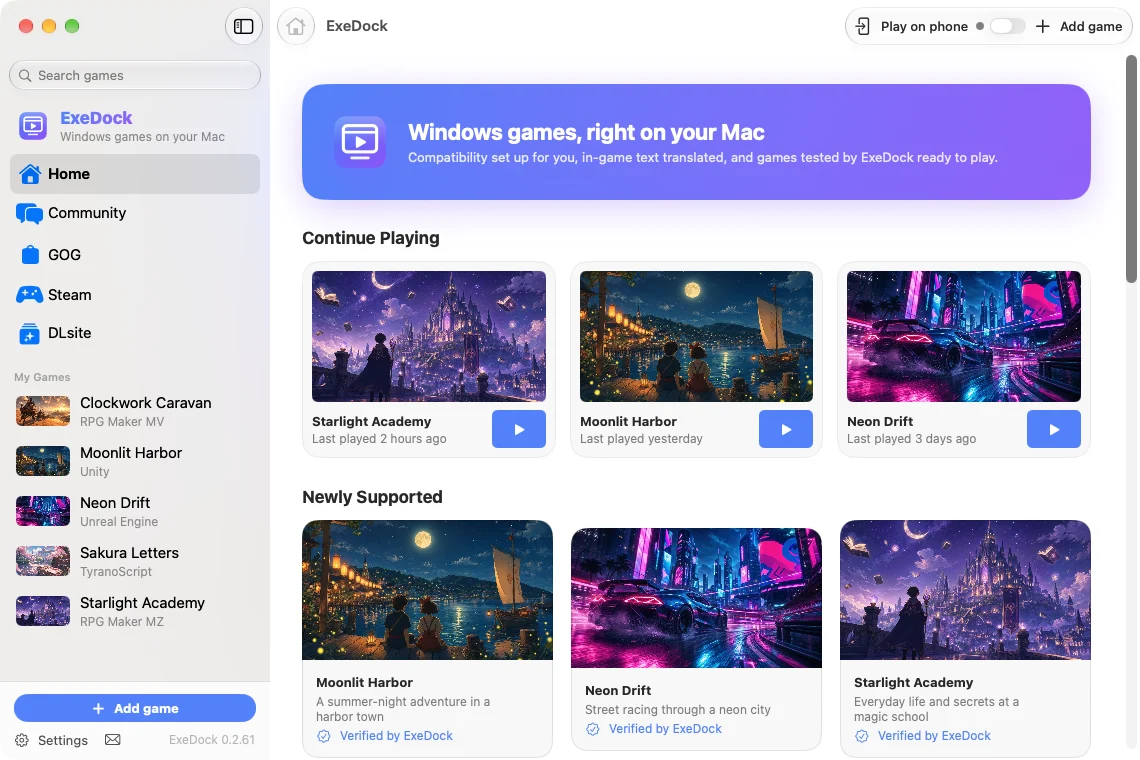
Built for Mac players
Add any game you own
Game folders, EXEs and ZIP/RAR/7z archives go straight in. Games and saves stay where they are, and each game gets its own environment.
Automatic setup
Wine, NW.js and graphics layers download the first time they’re needed, then get reused.
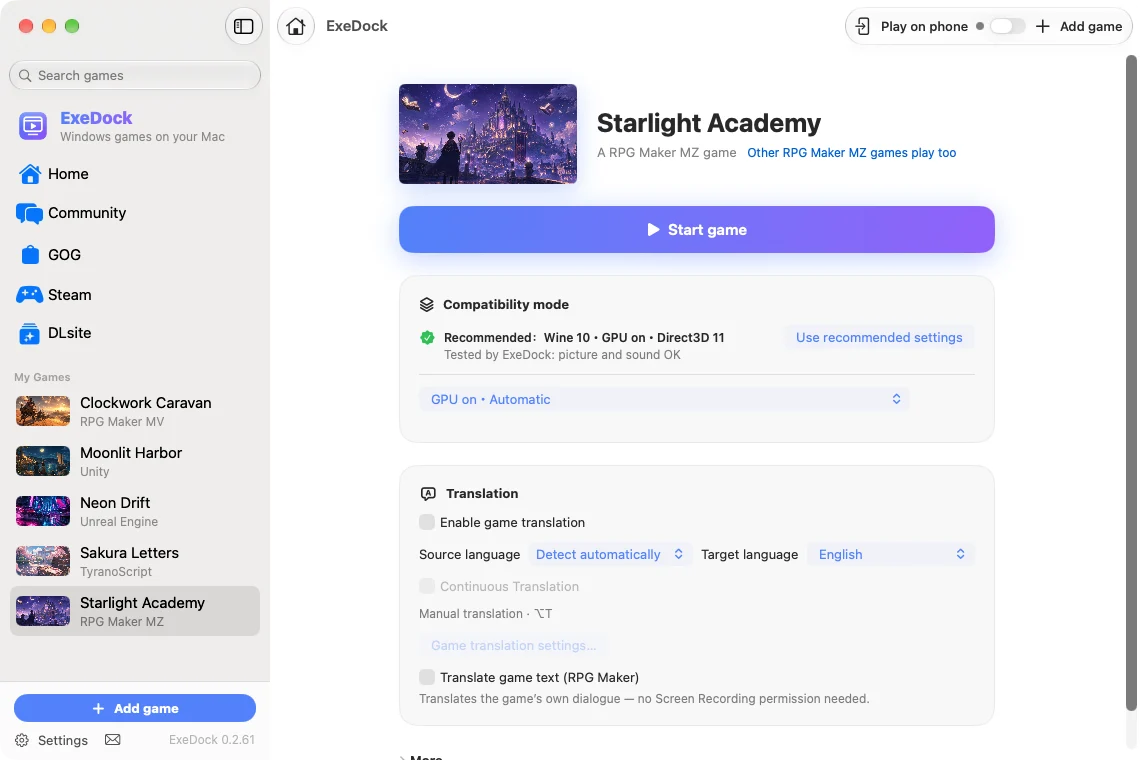
In-game translation
RPG Maker dialogue is translated directly; other games can use screen translation — all on your Mac.
ExeDock-tested settings
For games we’ve tested, apply settings with working picture and sound in one click.
Graphics acceleration
DXVK built in, plus Apple’s D3DMetal (bring your own) for smoother 3D games.
Free, nothing uploaded
Games and saves never leave your Mac. Anonymous play info can be turned off anytime.
DLsite and RPG Maker games on Mac
A dedicated Mac compatibility site for adults: bring the DLsite, RPG Maker and visual novel games you own. ExeDock detects the engine, prepares the environment and offers translation. Compatibility depends on each game and version.
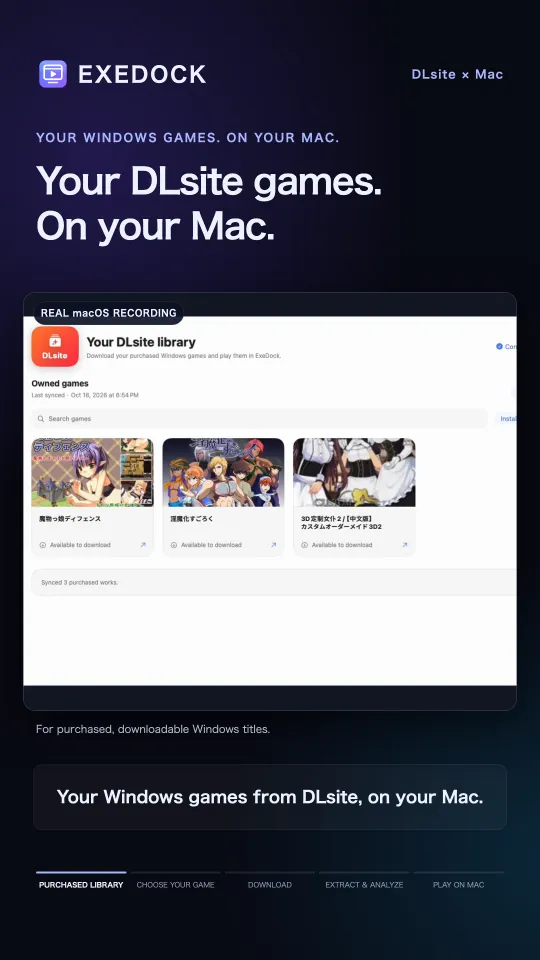 ▶
▶DLsite
Sign in to DLsite in ExeDock and your owned Windows games appear with their covers. ExeDock downloads and unpacks ZIP, RAR, 7z and split releases automatically, then adds them to "My Games"; installers open in a Windows compatibility environment, serial numbers can be viewed inside ExeDock, and interrupted downloads resume.
YouTube loads only after you press play.
Dialogue you can read
In RPG Maker MV/MZ games, dialogue, choices and character names are translated and shown in the game’s own message window. Translated lines are remembered for next time.
Supported game systems
ExeDock detects the game engine and picks a suitable way to launch it.
Also recognized (not yet tested)
✓ means tested with real games.
Start playing in three steps
Drop in the game folder
ExeDock recognizes the engine and executable. Your game is never moved.
Pick a compatibility mode
Use the ExeDock-tested setting when there is one, or try the modes in order.
Play
The first launch prepares the environment; after that it’s one click.
Games that play on Mac
Tested by the ExeDock team, or played on Mac by many players.
Not just these: ExeDock supports many game engines — RPG Maker, Unity, Unreal, TyranoScript, KiriKiri, Ren'Py and more — so Windows games without recommended settings can be dragged into ExeDock and played too. This list shows games that are tested or have player data.

NEET, Angel, and Ero Family
A game about a NEET whose life changes after an angel arrives.

Dohna Dohna ~ Let's Do Bad Things Together
A role-playing game about a gang in a corporate-run city.

PP Park☆Big Tits Gyaru X Cherry Boy~ Exciting!! Public Exposure Temptation
A game set in a public park, played by remote direction.

President Yukino
A story-driven game about a student named Yukino.
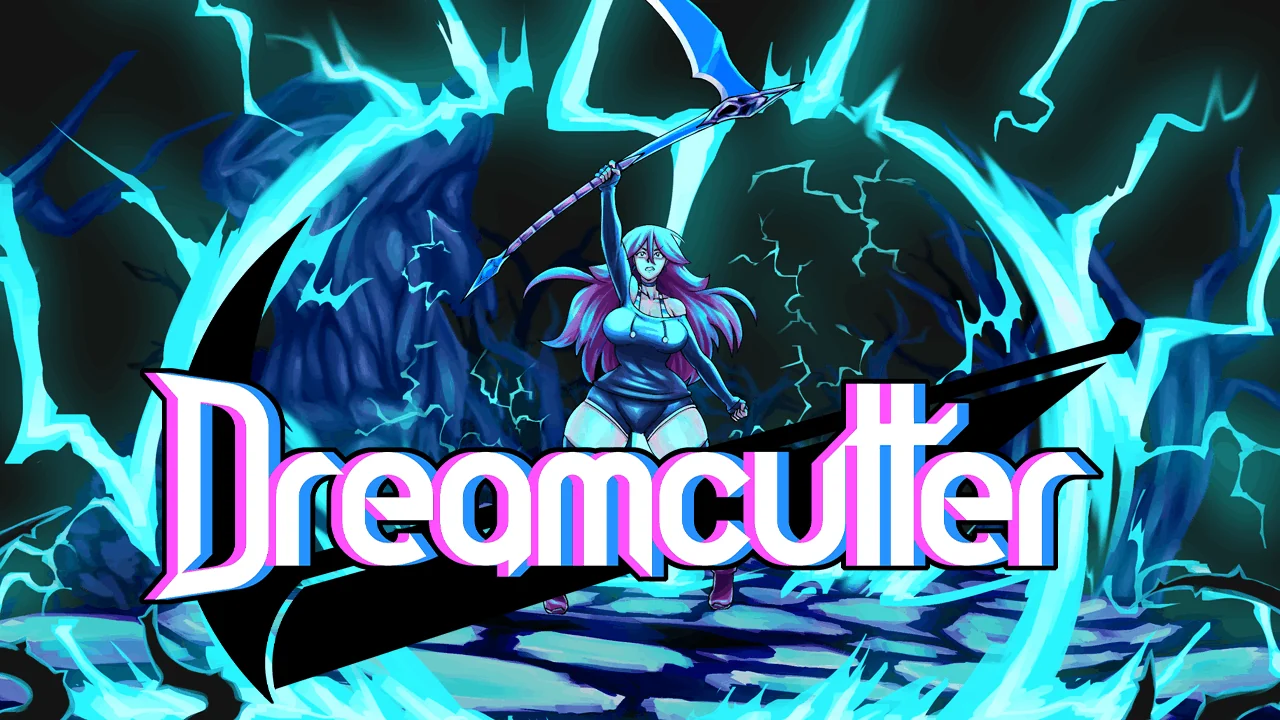
Dreamcutter
An action game set inside the protagonist's mind.

Study § Steady
A romance visual novel with four heroines.
Frequently asked questions
How to play DLsite games on Mac?
Install ExeDock, sign in to DLsite in the app and download a game you own, or import its downloaded folder or archive. ExeDock detects the engine and prepares a compatibility mode. Check the game’s Mac test results and any requirements for its edition.
Can RPG Maker adult games run on Mac?
Many can run through ExeDock, depending on the RPG Maker version and plugins. MV/MZ can use native NW.js; other generations use the available native runtime or Wine. Check each game’s results: adult classification does not guarantee compatibility.
What is ExeDock?
ExeDock is a free game launcher for Mac that runs Windows games on Apple silicon Macs and sets up compatibility environments such as Wine and NW.js automatically.
Does it cost anything?
ExeDock is free. Some recommended games include store links; if you buy through them we may earn a commission at no extra cost to you.
Which Macs are supported?
A Mac with Apple silicon running macOS 14 or later: M1 or later, and A-series Macs such as MacBook Neo.
Which games are supported?
Many engines — RPG Maker (MV, MZ, VX Ace, VX, XP, 2000, 2003), TyranoScript, HTML5 (NW.js), Unity, Unreal Engine, WOLF RPG, KiriKiri, NScripter, Ren'Py, AliceSoft System 4, Artemis, GameMaker, YU-RIS, Entis GLS, codeX RScript, QLIE, CMVS, CatSystem2, SRPG Studio, NekoSDK, GSIWin, AdvHD, BSXX, LiLiM AOS, CROWD, Softpal, ARTLINK SystemC, Cyberworks C,system, Escu:de, Black Cyc, AGE System, SiglusEngine, BGI/Ethornell, Godot — and other Windows games. The recommended list shows games that are tested or have player data; games not listed can still be dragged into ExeDock and played, with compatible settings picked from the game engine. If a game already has an official Mac version (common for Ren'Py titles), use that first.
How does translation work?
For RPG Maker MV/MZ, turn on “Translate game text” to translate dialogue directly; for other games use “Translate current screen”. Translation uses macOS’s built-in translation on your Mac.
Are my games or saves uploaded?
No. Games, saves and screen content stay on your Mac. With anonymous play info on, only data such as the compatibility mode and play time is sent, and you can turn it off in Settings.